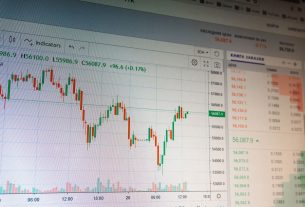
Traders who consistently protect their capital share one common habit — they treat risk management as a process, not an afterthought. The risk management indicator MT4 offers a structured way to monitor exposure, calculate position sizes, and enforce trading discipline before emotions get involved. Understanding how to use it effectively separates reactive traders from those who approach the markets with a clear, repeatable system.
What Does a Risk Management Indicator Actually Do on MT4?
At its core, a risk management indicator on MT4 automates calculations that traders would otherwise perform manually. It reads your account balance, evaluates your stop-loss placement, and determines the appropriate position size for each trade based on your predefined risk parameters. The result is displayed directly on the chart, giving you a real-time summary without needing to leave the platform or use a separate calculator.
Some versions of this indicator also track cumulative exposure across multiple open positions, which is especially useful for traders who manage several trades simultaneously. Having this information visible at all times reduces the likelihood of unintentional overexposure.
How Do You Install a Risk Management Indicator on MT4?
Installation is a simple process that takes only a few minutes. Start by obtaining the indicator file from a trusted source — it will be in .ex4 or .mq4 format. Open MT4 and go to File > Open Data Folder. Inside, navigate to MQL4 > Indicators and move the file into that directory.
Close and reopen the platform. In the Navigator panel, expand the Indicators section and locate the newly added tool. Drag it onto your preferred chart. A configuration panel will open where you can define your inputs. Set your risk tolerance, preferred display format, and any other available options before confirming.
Once applied, the indicator will immediately begin pulling live trade data and displaying risk metrics on your chart.
What Settings Should You Prioritize When Configuring the Indicator?
The most important input to configure accurately is your risk per trade. This figure determines how the indicator calculates lot sizes and evaluates whether your current position aligns with your overall risk strategy. Many traders choose a fixed value here that they apply consistently across all trades regardless of market conditions.
The stop-loss distance is another critical input. Some indicators calculate this automatically based on your pending order or open position, while others require manual input. Verify which method your indicator uses, and ensure the value reflects your actual stop-loss placement on the chart.
Finally, review any display settings available. A clean, uncluttered chart panel makes it easier to act quickly on the data the indicator provides.
How Does the Indicator Help During Live Trading?
During an active trading session, the indicator works as a real-time checkpoint. Before entering a trade, you can confirm that the planned position size falls within your defined risk parameters. If the lot size the indicator recommends differs significantly from what you intended, that is a signal to reassess your stop-loss placement or reconsider the trade entirely.
For traders managing multiple open positions, the cumulative risk display helps prevent a scenario where individual trades appear manageable in isolation but create excessive total exposure. This holistic view is one of the most practical features the indicator offers.
Can This Indicator Adapt to Different Trading Styles?
One of the strengths of the MT4 risk management indicator is its flexibility. Scalpers, day traders, and swing traders can all configure it to reflect their individual approaches. A scalper may set tighter risk parameters and prioritize fast position sizing, while a swing trader might focus more on overall account exposure across multi-day holds.
The key is consistency. Whichever style you trade, applying the same risk framework every time builds a reliable foundation that supports better decision-making under pressure.
Turning Data Into Discipline
The risk management indicator on MT4 gives traders something invaluable — objective data at the moment it matters most. Use it to validate your decisions before executing, review it after trades close, and adjust your configuration as your strategy evolves. Over time, the discipline it supports becomes one of your most durable trading advantages.